
Lizaro App
Play Lizaro Casino straight from your phone, with 10,000+ games, live tables and a full sportsbook in one place. There is no APK to chase and nothing to install, since the mobile site pins to your home screen as a one-tap shortcut. Deposits and withdrawals stay guarded by SSL encryption, and payouts land within 3 business days. Access is 18 and over only, with responsible gambling tools built into every account.
A full casino and sportsbook sits on your phone, no install required. Play at Lizaro Casino starts at 18 and over, and the tools to pace yourself, deposit caps, time-outs, self-exclusion, sit one tap away in your account. On the safety side, SSL encryption and verified payment routes shield every deposit and withdrawal you make. Open any modern browser in the UK and the lobby, banking and support load in seconds.
Lizaro Alternatives Casinos With Apps
Some UK players still prefer a native install, so it helps to compare us with brands that ship a dedicated client. The list below rates operators on load speed, game count and payout terms. We score well where it counts: 10,000+ games, payouts inside 3 business days and 24/7 support.






Most rival apps eat 45 to 70 MB and need updates before you play. We put the full platform in your browser instead, so there are no install steps or version conflicts. You keep the same slots, live tables and sportsbook from over 100 providers, with nothing to download.
Lizaro Casino App Features
Our mobile version runs the full site in your browser, with every tool built for one-handed play. You get biometric login, an in-app cashier and push alerts on a screen sized for touch. The table lists what matters most for UK players who install the Lizaro app shortcut on their home screen.
| Feature | What you get |
| Biometric login | Face ID, Touch ID or fingerprint with device binding for instant access. |
| In-app cashier | Deposits and withdrawals in multiple currencies, with saved methods and clear limits. |
| Push alerts | Notices for withdrawals, VIP offers, tournaments and open live tables. |
| Live streaming | HD dealer tables with low latency, upright or turned sideways. |
| Fast navigation | One thumb reaches search, favourites and the games you opened last. |
All of it lives in the same 10,000+ game lobby, slots and Megaways through to roulette and baccarat. A tuned caching engine opens pages in under two seconds, even on 4G. Spinning, betting and cashing out happen on one screen, with no desktop login needed.
Supported Platforms
The mobile site runs on any current phone or tablet, which puts Android and iOS on equal footing through the browser. A modern browser, a steady connection and roughly 200 MB of free space are enough to run the Lizaro Casino app shortcut smoothly. Minimum requirements for UK devices sit in the table below.
| Platform | Minimum version | Access method |
| Android | Android 7.0 or later | Chrome browser, add to home screen |
| iOS | iOS 12.0 or later | Safari, Share, Add to Home Screen |
| Desktop | Any modern browser | Direct login, no install |
Devices older than four years still open the lobby, though recent phones load fastest. We keep the layout responsive, so the same 10,000+ titles fit a 5-inch screen or a tablet. Nothing installs on your system, which means zero storage lost to updates.
How to Download Lizaro App
There is no separate file to grab, so the Lizaro app download works as a home-screen shortcut through your browser. The whole setup takes under a minute and saves the roughly 45 MB a native client would need. Follow the steps below for Android or iOS.
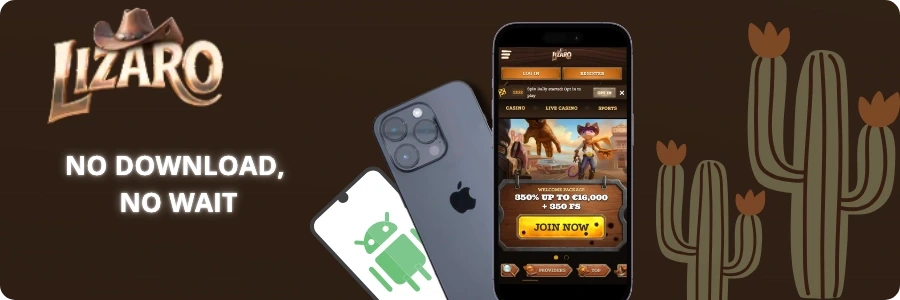
Lizaro App Android [Download Instructions]
Android users reach the full lobby through Chrome, with no store listing involved. Instead of a standalone Lizaro APK, you pin the site to your home screen and open it like any icon.
- Start on the casino homepage
Begin at the Lizaro homepage in your Android browser. The mobile lobby loads with games, banking and the menu in reach.

- Tap the three-dot menu
Press the three-dot icon in the top-right corner to open the browser menu. The list of Chrome actions drops down.
- Select “Add to Home screen”
Scroll the menu and choose “Add to Home screen”. A prompt asks you to name the shortcut, then confirm.
- Launch the icon and log in
Find the new icon on your home screen, tap it, and sign in. The full lobby opens like a standalone app.
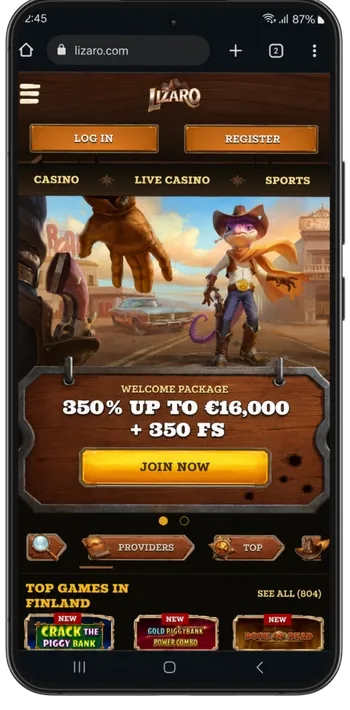
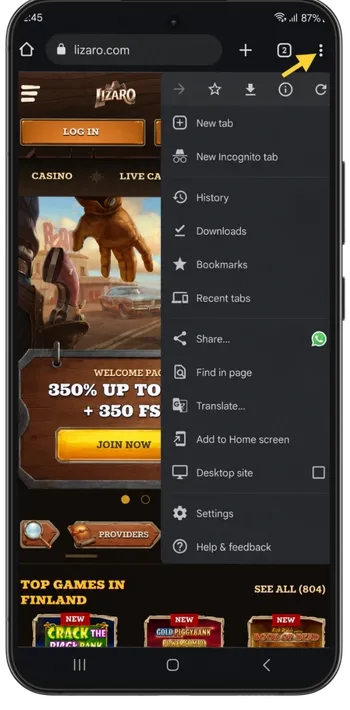
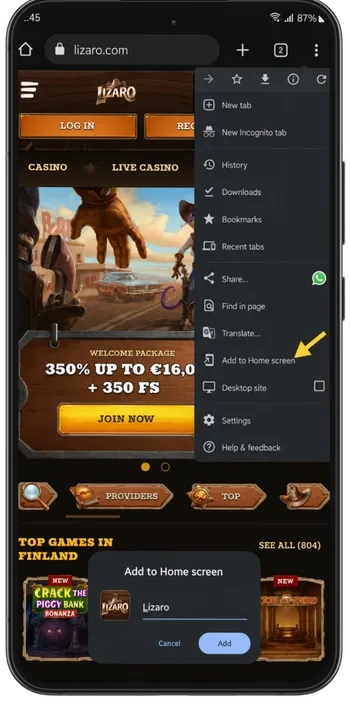
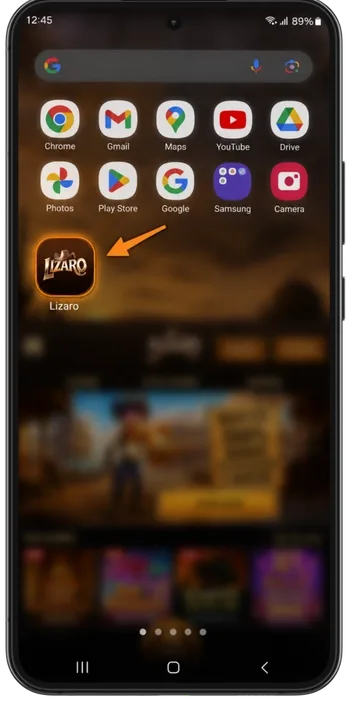
The shortcut behaves like a normal icon and updates on its own, so you skip the 45 MB install and every future patch. New UK players finish this in about 60 seconds.
Lizaro Casino iOS App [Download Instructions]
On iPhone and iPad the process runs through Safari, and the icon sits next to your other apps once added. Here is what to do:
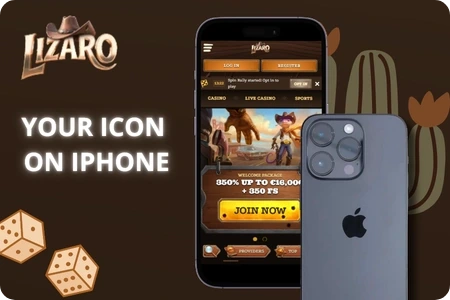
- Safari first: open Safari and load our official site on your iPhone or iPad, since the home-screen option only appears in this browser.
- Share button: tap the square with an upward arrow at the bottom of the screen to open the sharing menu.
- Add to Home Screen: scroll down the list of actions and select this option to place the icon.
- Name it: set a short label so you recognise it fast, then tap “Add” in the top corner.
- Launch: open the new icon from your home screen and sign in with your account to start playing.
The whole sequence takes five taps and needs iOS 12.0 or later. Your icon then opens the same 10,000+ game lobby with one tap.
24/7 Support
We keep help reachable at any hour, straight from the mobile site with no separate contact app. You get two direct channels plus a self-serve Help Center that answers the common questions in seconds. UK players tend to solve most issues on the first message.
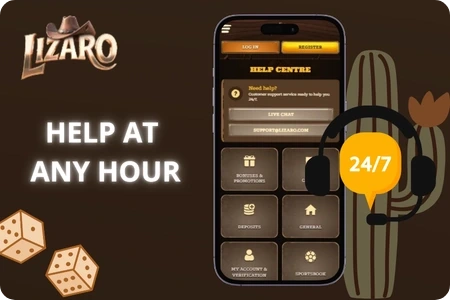
- Live chat: an agent picks up in under a minute, day or night, for anything from a stuck deposit to a bonus query or a quick question about your account limits.
- Email support: send documents or a longer case here when a written trail matters to you, with replies that walk through each step of the answer.
- Help Center: short how-to articles cover install, payment timelines, verification and promo terms, grouped by topic so the right page is easy to reach.
Withdrawals get their review on weekdays, 06:00 to 17:00 GMT, then land inside 3 business days. Weekend or midnight, the chat window stays lit, and help waits the moment you log in.
App Security
We run the mobile site under a Curaçao licence and guard every session with SSL encryption. Your login binds to one device, and biometric sign-in blocks anyone else from opening your account. The table breaks down the main safeguards you get with each login.
| Safeguard | What it does |
| SSL/TLS encryption | Every request between your phone and our servers travels scrambled. |
| Device binding | One device holds your login, which means a leaked password on its own opens nothing. |
| Biometric login | A face or fingerprint scan takes the place of a typed password. |
| RNG-tested games | Outside labs audit the random outcomes behind all 10,000+ titles. |
| KYC checks | We confirm identity within 24 to 48 hours to keep your funds safe. |
Encryption is one layer among several. Deposit limits, time-outs and self-exclusion sit in your hands for the moment play needs a brake. Every account passes the 18-plus check at KYC, and with nothing installed on your phone, there is no app file a bad actor could tamper with.